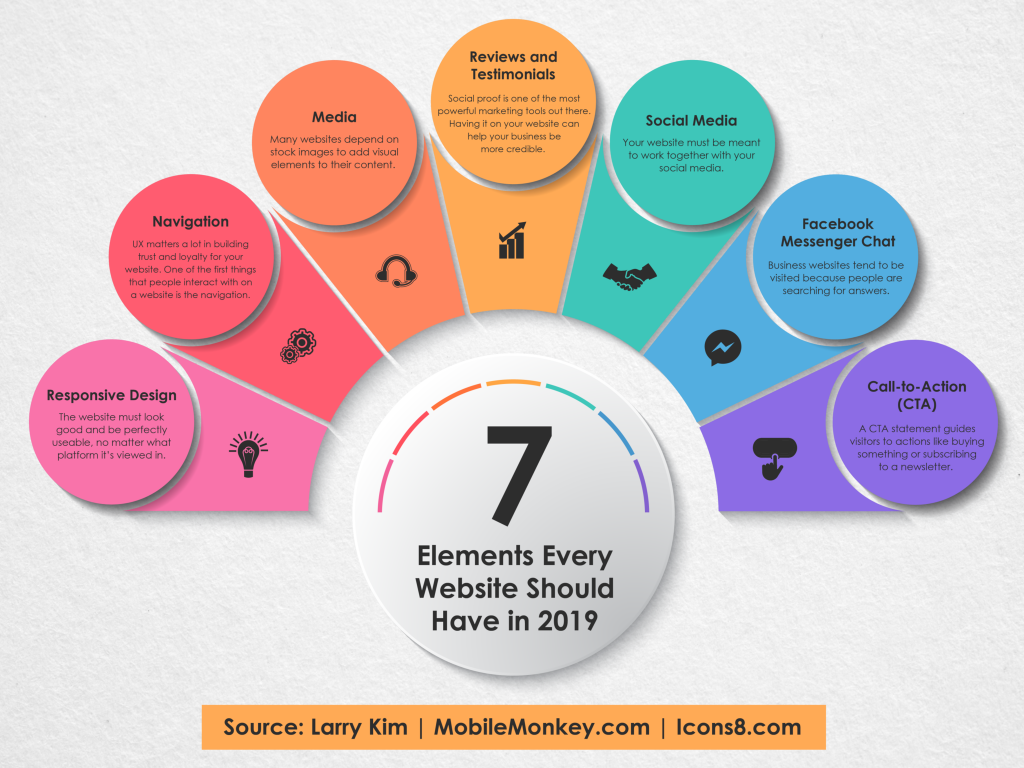
Understanding User Experience: How Usability Impacts Website Success
In the digital landscape, user experience (UX) plays a crucial role in determining the success of a website. Usability refers to how effectively and efficiently users can navigate a site to achieve their goals. A website that prioritizes usability ensures that visitors can find information easily, understand how to interact with various elements, and complete desired actions with minimal frustration. This not only enhances user satisfaction but also increases engagement and encourages repeat visits. In fact, studies show that a well-designed interface can lead to a significant boost in conversion rates.
Moreover, the impact of usability extends beyond just user satisfaction; it directly influences a site's SEO performance. Search engines like Google consider user engagement metrics such as bounce rate, time on page, and pages per session when determining rankings. Websites that deliver a seamless and enjoyable user experience are more likely to keep visitors on the site longer, thereby improving these metrics. Hence, optimizing usability should be at the forefront of any SEO strategy, as it not only elevates the user experience but also enhances overall website success.
Top 10 Usability Principles Every Web Designer Should Know
In the fast-paced digital world, understanding the top 10 usability principles is vital for every web designer aiming to create user-friendly experiences. These principles serve as a guideline to design interfaces that are not only aesthetically pleasing but also intuitive and functional. By adhering to these principles, designers can significantly enhance user satisfaction and engagement while ensuring that navigation remains seamless. Here are the ten core principles to keep in mind:
- Clarity: Ensure that your content is easy to understand and directs users effectively.
- Consistency: Use consistent design elements throughout to avoid confusing users.
- Feedback: Provide users with feedback on their actions to keep them informed of results.
- Accessibility: Design for all users, including those with disabilities, to make your site inclusive.
- Efficiency: Make sure users can achieve their goals with minimal effort.
- Navigation: Simplify navigation to facilitate easy access to key information.
- Responsiveness: Ensure that your site functions well on various devices and screen sizes.
- Aesthetics: A visually pleasing design keeps users engaged and encourages exploration.
- Error Prevention: Design interfaces that minimize the chances of user errors.
- Hierarchical Organization: Organize content in a clear hierarchy to help users find what they need quickly.
Is Your Website User-Friendly? Key Questions to Assess Usability
Assessing the user-friendliness of your website is crucial for ensuring that visitors have a positive experience. Start by asking yourself a few key questions: Is your website easy to navigate? A clear and simple navigation structure helps users find information quickly. Does your site load quickly? Slow-loading pages can frustrate visitors and lead them to leave before exploring your content. Is your content easily readable? Use legible fonts and sufficient contrast to enhance readability. Lastly, consider is your website mobile-friendly? With a growing number of users accessing websites via mobile devices, responsive design is essential.
Another important aspect of usability is accessibility. Ask yourself: Can all users access your content? Ensure that your website meets accessibility standards to accommodate those with disabilities. Additionally, do you have a search functionality? This feature allows users to quickly locate specific information without sifting through multiple pages. Finally, gather feedback by asking, Are users satisfied with their experience? Conduct surveys or usability tests to obtain insights that can guide improvements. By regularly assessing these elements, you can significantly enhance your website's usability and keep visitors engaged.